
 mpiazis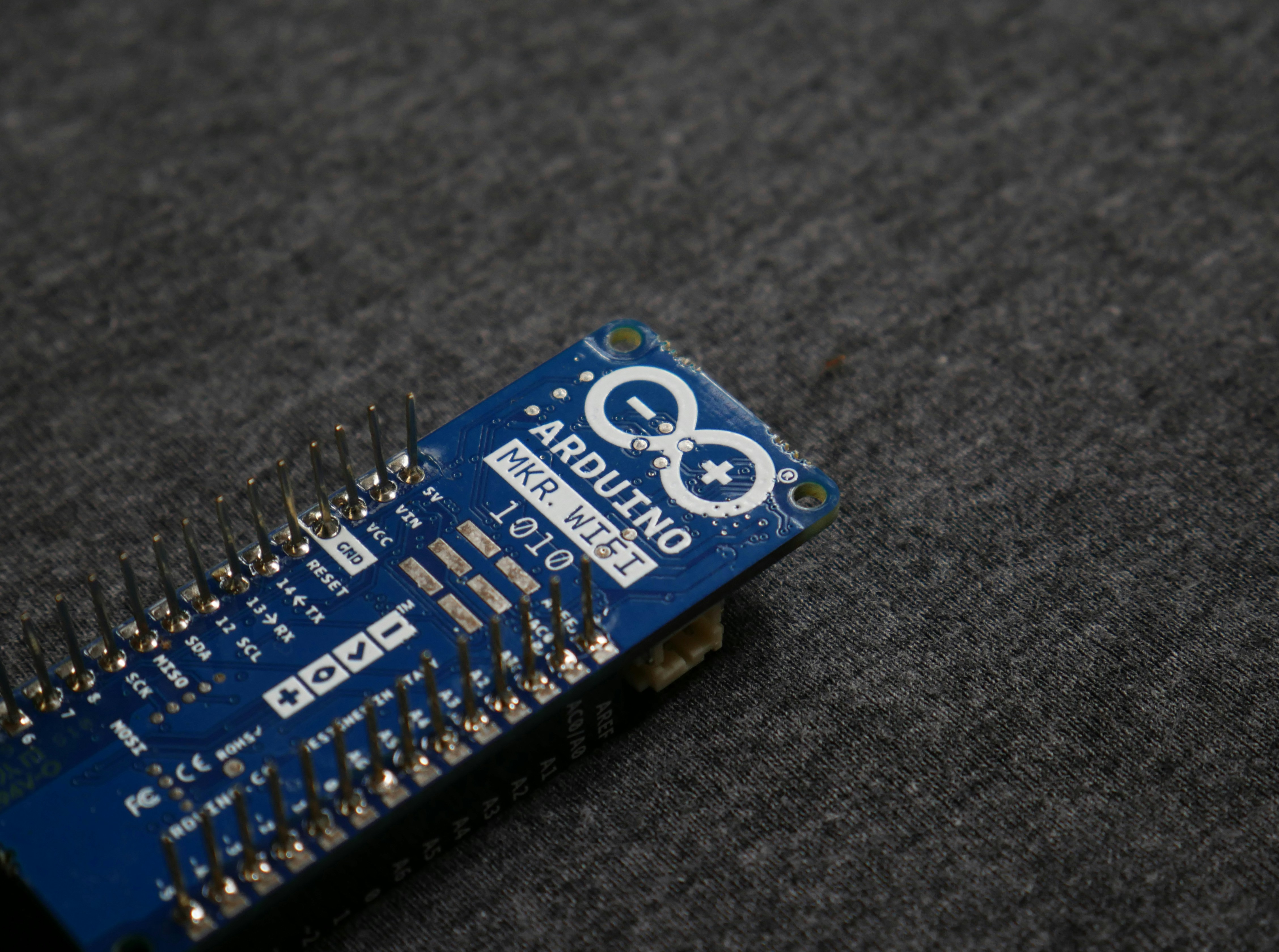
Introduction to Arduino
Arduino is an open-source electronics platform widely recognized for its versatility and ease of use, emerging as a cornerstone of modern technology. It was conceived in 2005 by a group of Italian students and professors at the Interaction Design Institute Ivrea to facilitate the development of digital devices and interactive objects aimed at both beginners and seasoned engineers. Since its inception, Arduino has evolved significantly, transforming from a simple prototype board into a comprehensive ecosystem that includes a variety of hardware and software components.
At its core, Arduino combines microcontrollers with easy-to-use software, allowing users to create programming codes effortlessly, which can then be uploaded to the hardware. This functionality renders Arduino particularly popular among hobbyists, educators, and professionals in various fields like robotics, art, and the Internet of Things (IoT). Its simplicity and user-friendly features have made it a favored choice for those looking to learn programming and electronics.
The significance of Arduino within the maker movement cannot be overstated. It has empowered countless individuals to engage in creative projects, bridging the gap between technology and everyday users. As an open-source platform, Arduino encourages collaboration and innovation, enabling developers from around the world to contribute to its ongoing evolution. Over the years, advancements in Arduino have led to the integration of Wi-Fi and Bluetooth capabilities, expanded sensor options, and enhanced programming environments. This continual development reflects the growing demand for accessible electronic solutions and creates immense potential for future applications.
How Arduino Works
The Arduino platform is a versatile tool that combines both hardware and software designed to facilitate the development of interactive electronic projects. At the core of this system is the Arduino board, which consists of a microcontroller, an Integrated Development Environment (IDE), and various input/output pins that enable communication with external devices.
Each Arduino board is equipped with a specific microcontroller, such as the ATmega328 found in the Arduino Uno. This microcontroller is responsible for executing the code uploaded from the IDE. It operates based on the programmed instructions that dictate how the board interacts with its components and peripherals. The interaction mainly occurs through the board’s input/output (I/O) pins, which are responsible for receiving signals from external sensors or sending output to actuators like motors.
The Arduino IDE plays a crucial role in this ecosystem, providing a user-friendly interface for coding and uploading sketches (programs) to the board. Users can write their code in C or C++, utilizing various libraries that simplify tasks such as reading inputs from sensors or controlling components. The process of uploading code involves connecting the Arduino board to a computer via USB, where the programmed instructions are transferred for execution.
Additionally, Arduino boards are equipped with digital and analog pins, allowing for a wide range of applications. Digital pins are used for binary signals (on/off), while analog pins can read variable signals from sensors, enabling more complex interactions. Overall, the combination of hardware components such as the microcontroller, I/O pins, and the simplified coding experience provided by the Arduino IDE contributes to the immense popularity of Arduino as a platform for learning and creating innovative projects in the field of electronics.
Getting Started with Arduino
For beginners interested in exploring the world of electronics and programming, getting started with Arduino can be an enriching experience. The Arduino platform consists of hardware and software components that allow users to create interactive electronic projects easily. The first step is to download and install the Arduino Integrated Development Environment (IDE), which is essential for writing, testing, and uploading code to your Arduino board.
To begin, visit the official Arduino website and download the IDE compatible with your operating system. Once installed, open the IDE and begin by connecting your Arduino board to your computer using a USB cable. Ensure that the board is powered properly, as this connection is crucial for programming and testing your projects.
After the connection is established, the next crucial step is selecting the appropriate board and port from the ‘Tools’ menu in the IDE. This allows the software to communicate effectively with your hardware. Once this setup is done, you are ready to write your first basic program, commonly referred to as a sketch. A simple “Blink” sketch, which makes an LED on the Arduino board blink on and off, serves as an excellent starter project. This program can be found in the IDE by navigating to File > Examples > Basics > Blink.
Upon loading the sketch into the IDE, review the code and then click the upload button. If everything is set up correctly, you will see the built-in LED on your Arduino blink. Should you encounter any issues, common troubleshooting steps include verifying your connections, checking for any error messages in the IDE, and consulting online forums and communities dedicated to Arduino projects. Resources such as Arduino’s documentation and tutorials can further assist novices as they embark on their Arduino journey.
Basic Arduino Projects for Beginners
Arduino platform offers numerous opportunities for beginners to learn the fundamentals of electronics and programming through hands-on projects. Below are three simple projects designed to help new enthusiasts familiarize themselves with Arduino capabilities.
1. Simple LED Blink Project
The LED blink project is a classic starting point. To create this, you will need an Arduino board, an LED, a 220-ohm resistor, and jumper wires. Begin by connecting the LED’s anode (longer leg) to a digital pin on the Arduino and the cathode (shorter leg) through a resistor to the ground. The Arduino IDE can be used to upload the following simple code:
void setup() { pinMode(13, OUTPUT);}void loop() { digitalWrite(13, HIGH); delay(1000); digitalWrite(13, LOW); delay(1000);}
This code makes the LED blink every second.
2. Basic Temperature Sensor
For this project, you’ll need an Arduino board, a temperature sensor like the LM35, and jumper wires. Connect the temperature sensor to the Arduino, attaching the VCC pin to 5V, GND to the ground, and the output pin to an analog pin. Use the following code to read and display the temperature:
void setup() { Serial.begin(9600);}void loop() { int reading = analogRead(A0); float voltage = reading * (5.0 / 1023.0); float temperature = voltage * 100; Serial.println(temperature); delay(1000);}
This program prints the temperature in Celsius to the Serial Monitor.
3. Light-Sensitive LED
This project involves creating a light-sensitive LED that turns on when ambient light falls below a certain threshold. You will need a photoresistor, an LED, a 10k-ohm resistor, and an Arduino board. Connect the photoresistor and 10k-ohm resistor to form a voltage divider connected to an analog pin. The LED can be connected to a digital pin. Below is a basic code example:
void setup() { pinMode(9, OUTPUT);}void loop() { int lightLevel = analogRead(A0); if (lightLevel < 300) { digitalWrite(9, HIGH); } else { digitalWrite(9, LOW); }}
In this setup, the LED will illuminate when the light level drops below the specified threshold.
Engaging in these basic Arduino projects allows novices to gain essential skills and enhance their understanding of electronics and programming. These initial experiences can serve as a solid foundation for more complex projects in the future.
Advanced Arduino Projects and Applications
The Arduino platform offers an expansive foundation for developing advanced projects that combine creativity with technology. One notable application is the automated plant watering system. This project utilizes soil moisture sensors connected to an Arduino board to determine the hydration levels of plants. Once the moisture falls below a predetermined threshold, the system activates a water pump that delivers the necessary irrigation, demonstrating the potential of Arduino in creating efficient agricultural solutions.
Home automation projects also benefit significantly from Arduino’s versatility. By incorporating various sensors and relays, enthusiasts can create highly functional systems that manage lighting, heating, and security settings within a residence. For instance, an Arduino-based home automation system could allow a homeowner to control their lighting via a smartphone application. The integration of IoT technology enhances this project further, enabling remote monitoring and control via the internet, making daily living both more convenient and energy-efficient.
Another innovative application is wearable technology, where Arduino boards are miniaturized and integrated into clothing or accessories. This could range from health monitoring devices, such as heart rate sensors embedded in wristbands, to interactive clothing capable of changing colors in response to environmental conditions. The combination of Arduino with sensors and wireless technologies not only aids in personalizing user experiences but also positions the technology as a frontier in the development of smart textiles.
Overall, advanced Arduino projects showcase the platform’s adaptability across various fields, including agriculture, home automation, and wearable tech. The ingenious integration of Arduino with other technologies like IoT expands its potential, paving the way for innovative solutions that address real-world challenges efficiently.
Arduino in Education and Research
Arduino has emerged as a powerful educational tool in recent years, significantly enriching the learning experiences of students in various academic disciplines. By integrating Arduino into classroom environments, educators can offer hands-on, interactive learning experiences that simplify complex concepts, especially in fields such as engineering, computer science, and environmental science. Students utilize Arduino kits to build their projects, which fosters creativity and critical thinking while enhancing their technical skills.
Furthermore, Arduino has become a favored choice in educational institutions because of its affordability and accessibility. The open-source nature of Arduino encourages collaboration among learners, enabling them to share ideas and solutions. This collaborative spirit is particularly beneficial in project-based learning, where students can grasp theoretical knowledge through practical application. As a result, many universities have adopted Arduino in their engineering and technological programs, enabling students to develop prototypes for their innovative ideas.
In addition to educational settings, Arduino plays a valuable role in research across various fields. Researchers leverage Arduino for the rapid prototyping and testing of new concepts, offering a flexible platform for experimentation. For instance, in environmental science, researchers can utilize Arduino-based sensors to collect real-time data on air and water quality, facilitating further analysis and promoting sustainable practices. Similarly, engineers and roboticists apply Arduino to design and test robotics solutions, improving automation and efficiency.
The versatility of Arduino encourages investigative approaches to problem-solving, allowing students and researchers alike to explore novel solutions that address real-world challenges. Its contributions to education and research exemplify the potential of open-source hardware in driving innovation and fostering a culture of learning that empowers both individuals and communities.
Community and Resources
The Arduino community represents a vibrant ecosystem where enthusiasts, beginners, and experts converge to exchange knowledge, share projects, and foster collaboration. This collaborative spirit is evident in various online forums and social media networks that serve as platforms for users to discuss their Arduino experiences. Websites like Arduino.cc offer official documentation, tutorials, and resources that guide users through the initial setup, programming, and application of Arduino boards.
In addition to official resources, numerous community-driven forums such as Stack Overflow, Reddit’s r/arduino, and the Arduino Forum provide valuable spaces for troubleshooting and project sharing. Users can ask questions, receive feedback, and showcase their work, which not only aids in personal learning but also contributes to the collective growth of the community. Social media groups on platforms like Facebook and LinkedIn further enhance networking opportunities, allowing users to connect with like-minded individuals and engage in discussions about innovative projects and potential applications of Arduino technology.
For those seeking structured learning, numerous online resources provide comprehensive tutorials and courses. Websites like Instructables and Hackster.io host a wealth of user-generated projects that range from simple to complex, enabling newcomers to gain hands-on experience. Additionally, platforms such as Coursera and Udemy offer courses that delve into various aspects of Arduino programming and electronics, catering to different skill levels.
Events such as Maker Faires and Arduino-related workshops are held globally, providing opportunities for enthusiasts to showcase their creations, learn from industry leaders, and network with other makers. These gatherings foster a sense of community and inspire new projects, ensuring that the passion for Arduino continues to grow worldwide. Through active participation in these forums and events, both seasoned developers and novices can continuously expand their knowledge and stay updated with the latest trends in Arduino technology.
The Future of Arduino
As technology advances, so does the potential for Arduino, an open-source electronics platform, to revolutionize various fields. The integration of Arduino with the Internet of Things (IoT) is one of the most promising trends that could shape its future. The rising demand for smart devices that communicate and share data over the internet underscores the importance of Arduino in creating innovative solutions. With its user-friendly interface and extensive community support, Arduino is well-positioned to be at the forefront of IoT developments.
Moreover, advancements in microcontroller technology promise to enhance the functionality of Arduino boards. As microcontroller chips become more powerful and energy-efficient, Arduino can support more complex applications while maintaining its accessibility. This transformation will enable developers to design sophisticated projects that were previously too challenging or resource-intensive. Such improvements are likely to lead to greater adoption in professional settings, where rapid prototyping and iterative development cycles are essential.
In addition to technical advancements, the educational impact of Arduino remains significant. Its incorporation into academic curriculums encourages students to explore fields such as robotics, automation, and coding. This hands-on approach cultivates a generation of innovators who are not only consumers of technology but also creators. Furthermore, as diverse fields such as agriculture, healthcare, and manufacturing look for cost-effective solutions, Arduino’s versatility can provide platforms for experimentation and real-world applications.
In conclusion, the future of Arduino looks promising as it aligns with technological trends and educational needs. By continuing to foster community collaboration and integrating modern advancements, Arduino has the potential to inspire ongoing innovation among hobbyists and professionals alike. Its role in the future landscape of technology will likely become increasingly pivotal as it adapts to address the challenges and opportunities that arise in a rapidly evolving digital world.
Conclusion
In summary, the exploration of Arduino has revealed its vast potential and versatility in various applications, ranging from educational uses to professional deployments. The platform’s user-friendly interface and a rich ecosystem of libraries and community support empower both beginners and seasoned developers to create innovative projects. Various applications such as robotics, IoT, and automation exemplify how Arduino can be a foundational technology that supports creativity and technical skills.
Throughout this blog post, we have examined how Arduino not only serves as an entry point into programming and electronics but also facilitates advanced technological exploration. Its significance in education cannot be overstated, as it provides hands-on experiences that foster problem-solving abilities and collaborative skills among students. Moreover, its adaptability allows professionals in various fields to customize solutions to meet specific project requirements.
We encourage readers to leverage the capabilities of Arduino by embarking on their own creative projects. The platform is a gateway to countless opportunities for innovation, making it vital in today’s tech landscape. Whether you are looking to prototype a new idea or simply wish to learn more about programming and electronics, Arduino offers an accessible way to engage with technology. By diving into this exciting realm, you can unlock limitless possibilities and contribute to the ever-evolving world of tech.